The obtained dielectric function can be exported to a database of optical constants like it is supplied with our SCOUT or CODE spectrum simulation programs. The database connection is controlled with a few commands that you find in the database submenu.
Database|Open
This opens the database subwindow that you might know from SCOUT or CODE:
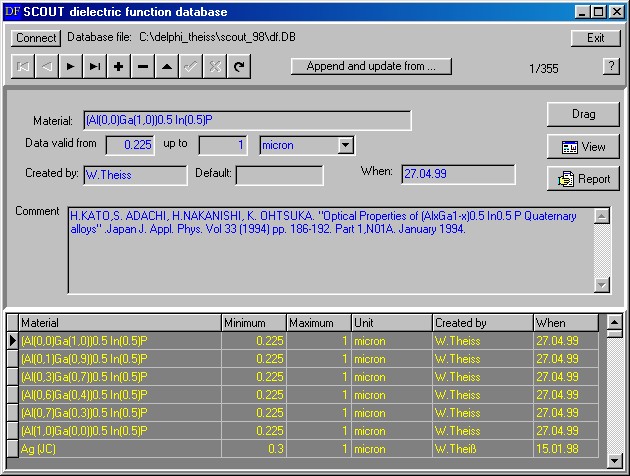
You can use the Connect button in the upper left corner of this window to connect to the wanted dielectric function database in your network.
Database|Connect
Alternatively, you can connect to a database using the Database|Connect command in Direct_DF without opening the database subwindow.
Database|Result to database
With this command you can add your current result to the database. Alternatively, you can press the Result to database button to activate this action.
A new database entry is createad and the corresponding dielectric function (which is the one you have just computed with Direct_DF) is displayed:

In the database subwindow you have to enter the material's name and several other items, including a comment that describes how you determined this dataset:

Finally, you have to confirm your changes to the database by pressing the  button.